
Billing overview
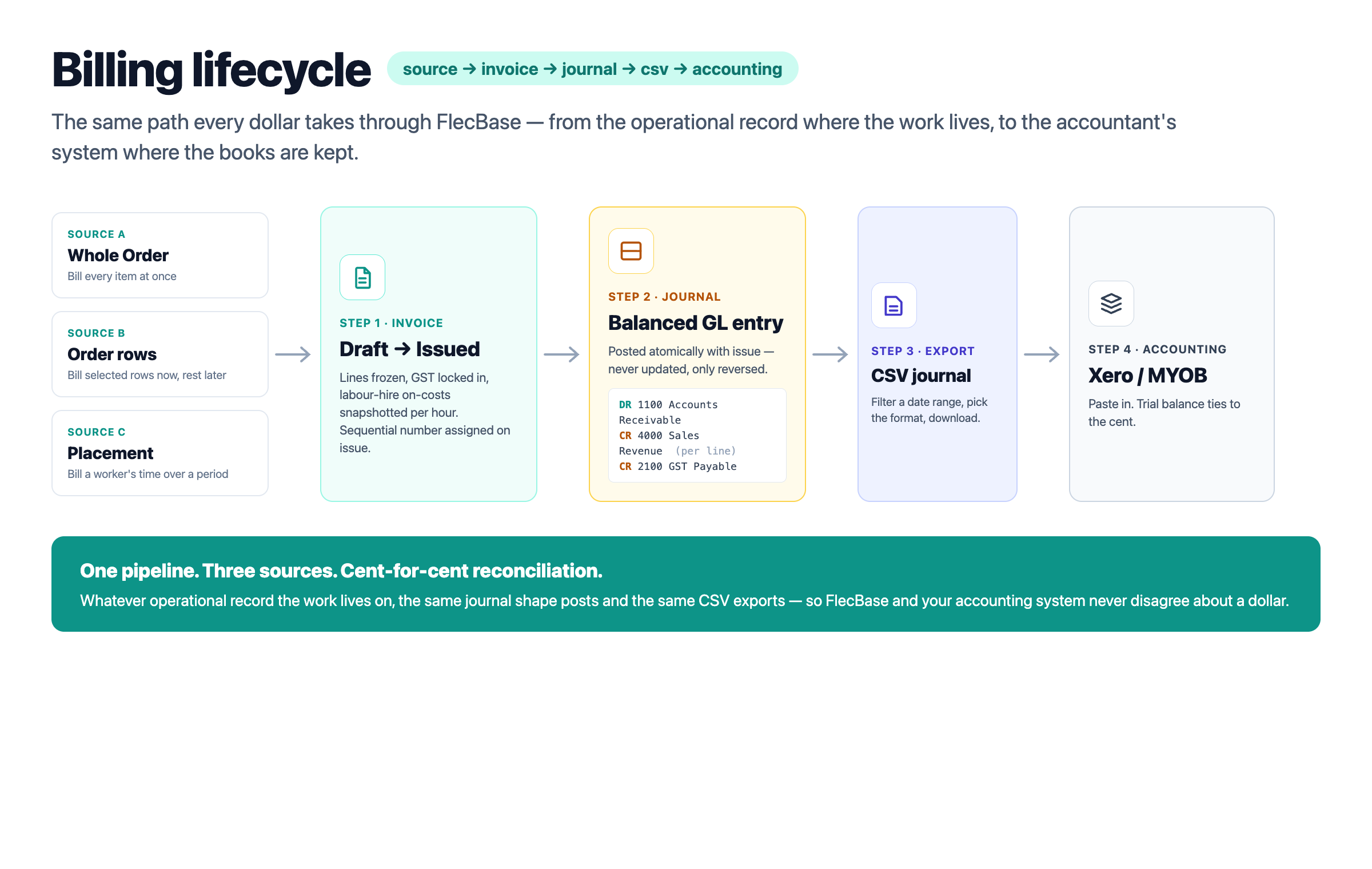
The Billing add-on turns operational records — Orders, Order rows and Placements — into invoices, and every issued invoice writes a balanced journal to a built-in General Ledger you can hand to your accountant.
There are three places an invoice can come from. From a whole Order: bill everything on the order at once, typically after the work is complete. From selected Order rows: bill some lines now, leave the rest open for a later invoice (progress billing). From a Placement: bill a worker's time over a date range — the placement supplies the rates, your time entries supply the hours, FlecBase composes the invoice for you.
Every issued invoice posts the same shape of journal: Accounts Receivable is debited for the total, Sales Revenue is credited per line, and GST Payable is credited for the tax. Void an invoice and a reversing journal balances it back out — the original stays in the ledger for audit. The journal viewer at Ledger → Journals shows everything.
When it comes time to push the numbers to your accounting system, the Journals page exports a CSV in Xero or MYOB format. FlecBase stays the operational ledger; your accountant's system stays the official books — and the trial balance ties.
billing_lifecycle.png
billing-overview_1.png