
How to use Activity Reports
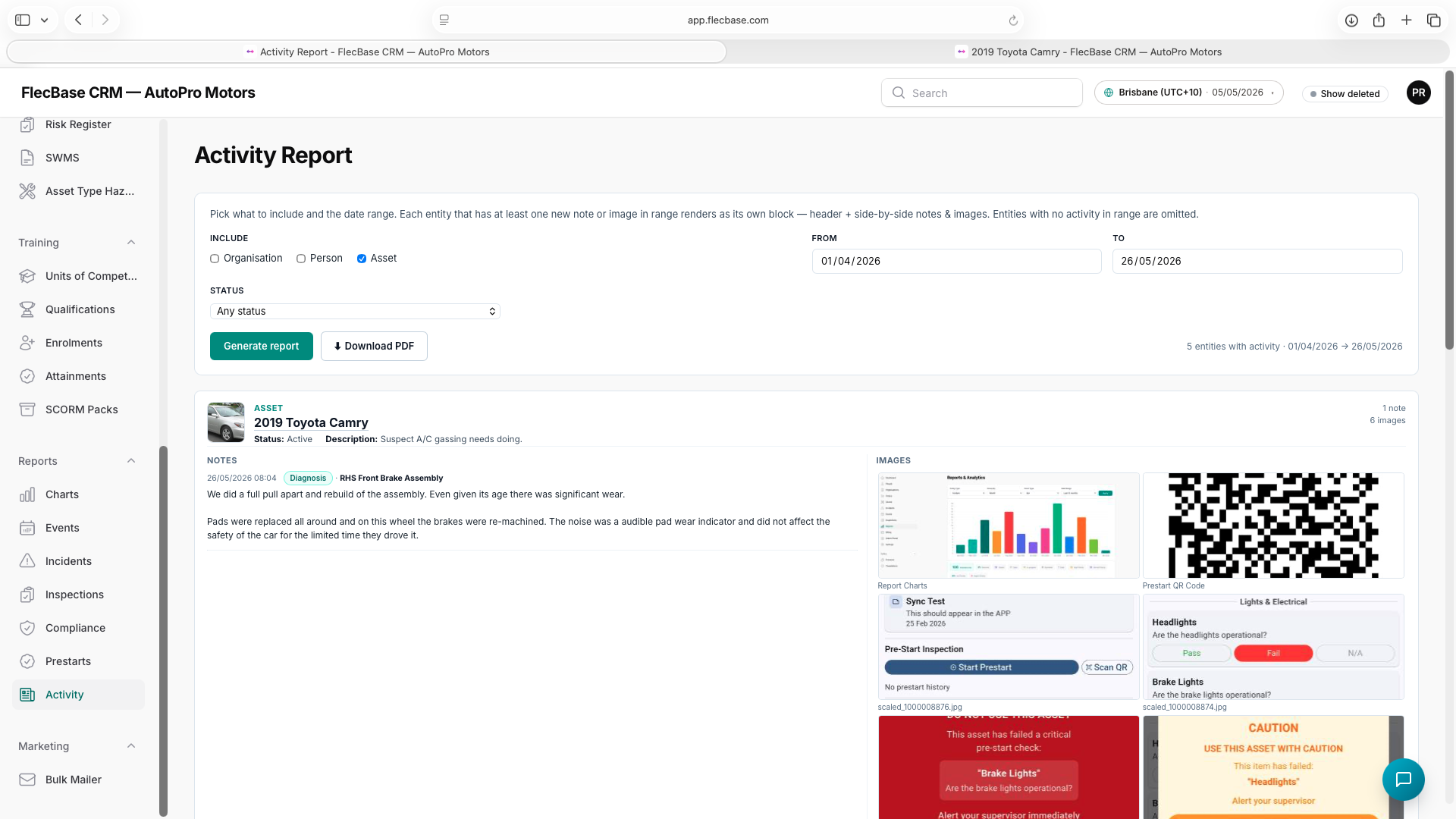
Run an Activity Report.
- Open Reports → Activity.
- Tick the entity types you want included (Organisations, People, Assets — any combination).
- Set the From and To dates. The default is the last 30 days.
- Optionally narrow by Status (Active / Archived / Any) to skip records that are not in play.
- Click Generate report — each entity with at least one new note or image in range renders as a block. Entities with no activity are omitted.
- Click Download PDF to save or send a tenant-branded version of exactly what is on screen.
activity-reports_2.png