
Payroll: hours into Employment Hero
How a week a worker files on their phone becomes money in Employment Hero — and what has to be set up once before it will.
The shape of it
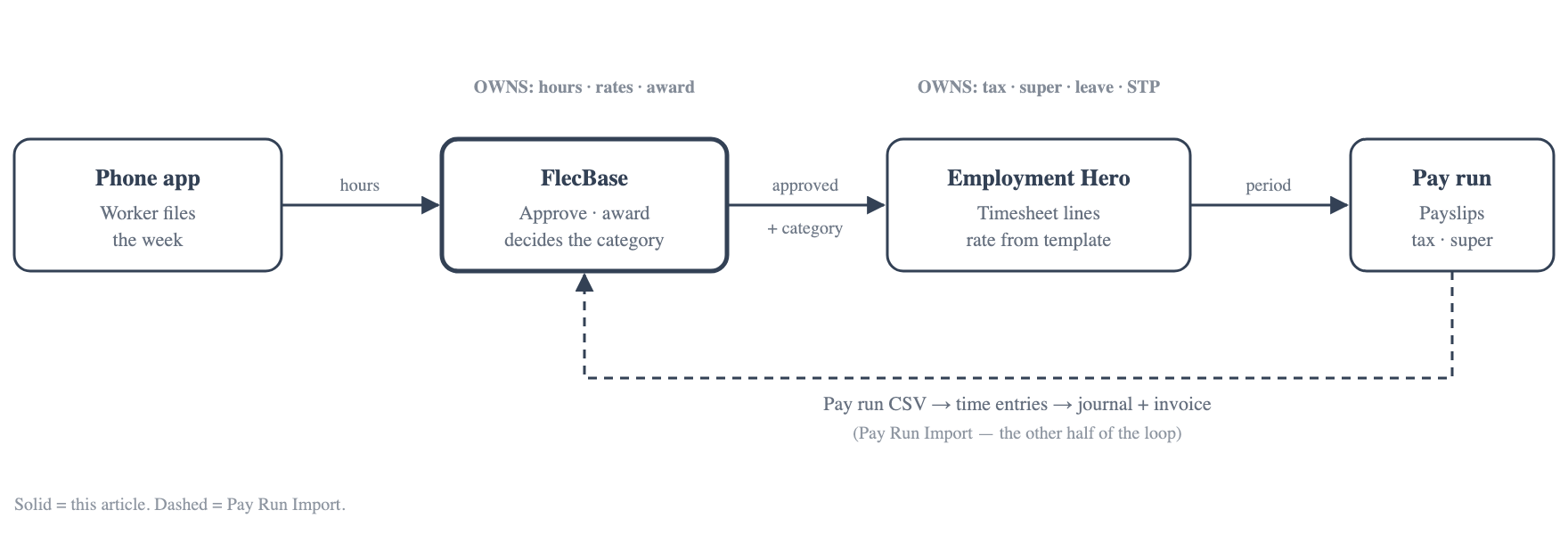
FlecBase owns the hours, the rates and the award. Employment Hero owns tax, super, leave and STP. The handover is one API call per week, carrying a pay category per day.
That split matters because of what it implies: if a FlecBase award rule is wrong, Employment Hero will pay the default rate without complaining and nothing over there will flag it. The award setup is load-bearing on pay.
| Stage | Where | Who |
|---|---|---|
| Enable the add-on | FlecBase Admin | FlecBase |
| Enter the API key | Admin → Employment Hero → Setup | Workspace admin |
| Map clients to businesses | Setup tab | Workspace admin |
| Map pay code items to pay categories | Pay codes | Workspace admin |
| Push rates | Pay code → Push to Employment Hero | Workspace admin |
| Send the employee | Placement | Consultant |
| File the week | Phone app | Worker |
| Approve the week | Timesheets | Supervisor or office |
| Push the hours | Timesheet | Consultant |
| Pay run | Employment Hero | Payroll |
Setting it up, once
1. The add-on
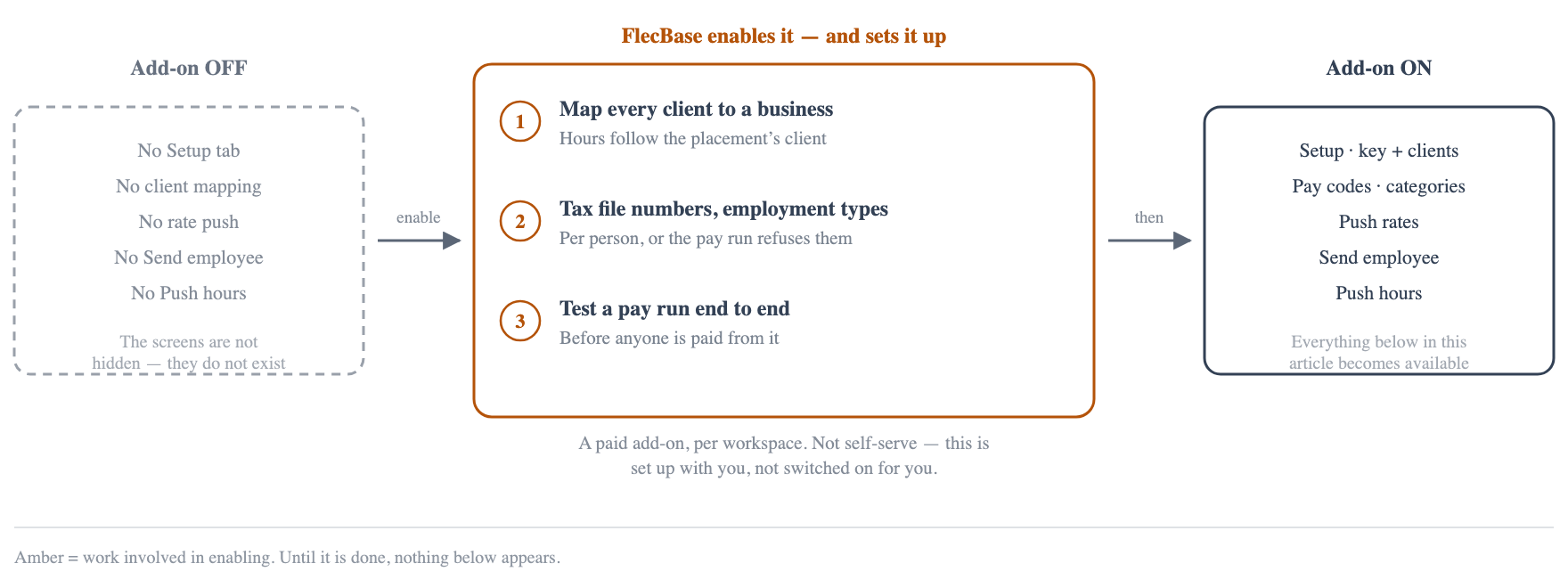
Employment Hero is a paid add-on, enabled per workspace by FlecBase. It is not simply a switch: standing the integration up means mapping each client, filling in tax file numbers and employment types, and testing a pay run end to end. Until it is on, none of the screens below appear.
2. The API key
Admin → Employment Hero → Setup. Paste the key and press Check & save.
The key belongs to the workspace, not to the server — every workspace has its own Employment Hero login. It is stored encrypted and never shown again; only the first six and last four characters are displayed afterwards.
It is checked before it is saved. A key that cannot authenticate is not stored, so a mistyped key during a rotation leaves the working one in place rather than taking the workspace offline.

Two things the Setup tab reads off the account rather than asking:
- A key that sees one business is that workspace's own payroll. It is flagged live, and writes have to be asked for.
- A key that sees many is a bureau key, and the other businesses belong to other people. Each client is mapped below.
3. Clients to businesses
Employment Hero calls a client a business. Hours for a placement go to the business its client is mapped to — so somebody placed at two clients reaches two payrolls.
Only organisations that actually carry a placement are listed. A workspace with 1,481 organisations would otherwise get a screen nobody can read when six of them pay anybody.

If this is wrong, nothing fails. The hours are accepted — right employee, right dates, charged to the wrong company. Nothing errors, so the mapping is worth checking rather than assuming.
4. Pay code items to pay categories
A FlecBase pay code item maps to an Employment Hero pay category through external_id. For any workspace that has ever imported an Employment Hero pay run CSV, this is already populated — the importer has been maintaining it.
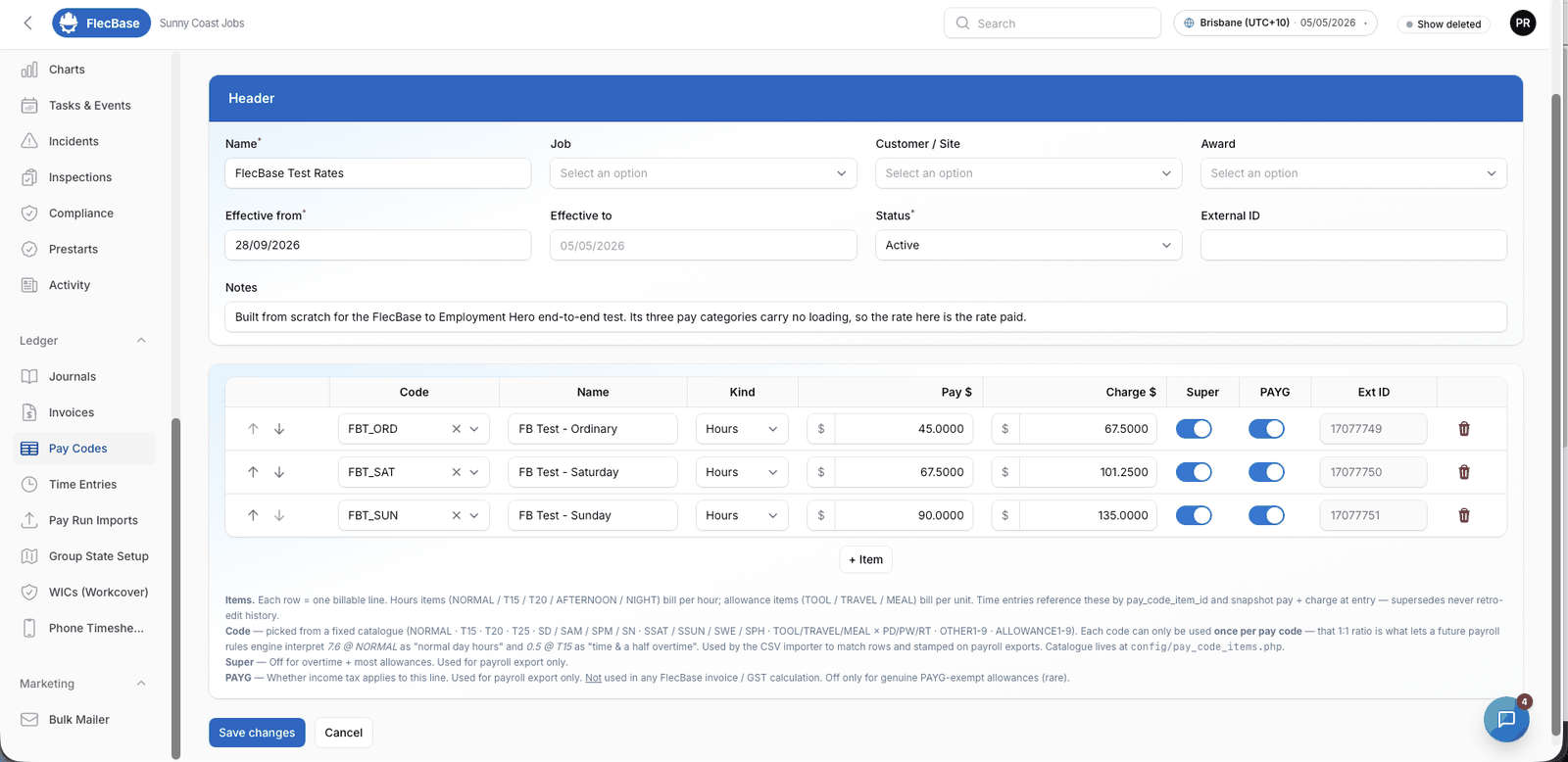
Two forms turn up in real data:
15221135— their category id.15221135-8805— the same category with a suffix, so one category can carry two different FlecBase rates. The part before the dash is the id.
5. Push the rates
A FlecBase pay code becomes an Employment Hero pay rate template. FlecBase is the source of truth for the rate — it is negotiated per Job × Org and drives the charge rate too, which Employment Hero has no concept of.
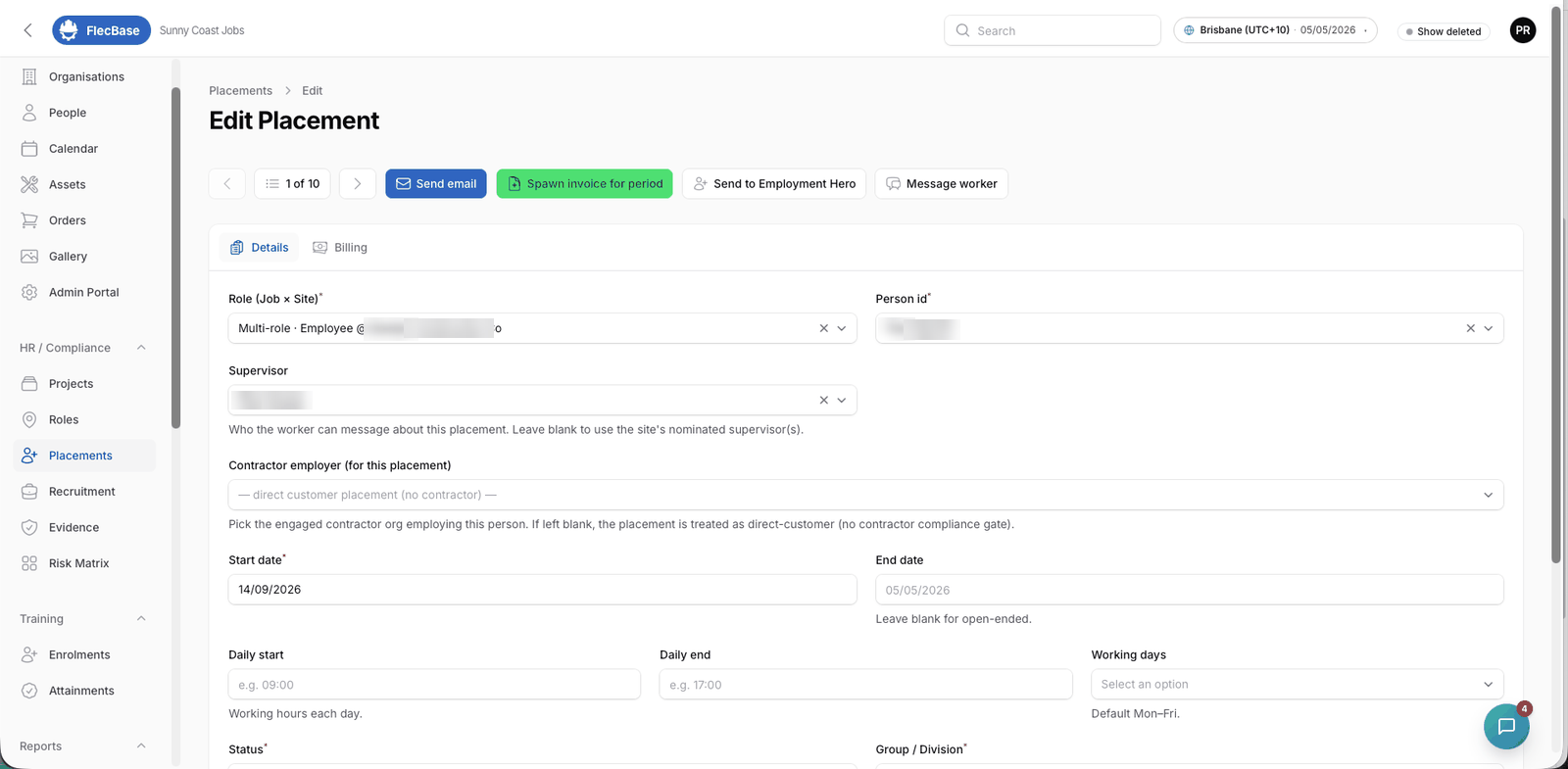
What does not travel is the tax treatment. Whether a category is tax exempt, accrues leave, or appears separately on a payment summary is legislated, and FlecBase holds two of those six attributes. Categories are created in Employment Hero, where somebody understands the treatment; FlecBase then owns their name and their money.
Rates are converted on the way through. FlecBase holds the effective rate — what lands on the payslip. A template rate is the rate before loading. Sending 40.00 straight through to a category with 25% casual loading pays 50.00, so the push divides it back out and then reads the template back to check Employment Hero's own arithmetic agrees, to the cent.
The push refuses rather than guesses when:
- An item's reference is not one of their category ids.
- Two items share a category at different rates — a template holds one rate per category, so there is no answer.
- A category this key cannot see, which means the mapping belongs to a different Employment Hero account.
6. The award
The award on the role decides what each day is paid as. Employment Hero is not doing this — a line with no category is paid at the employee's default rate, every day of the week, including Saturday.
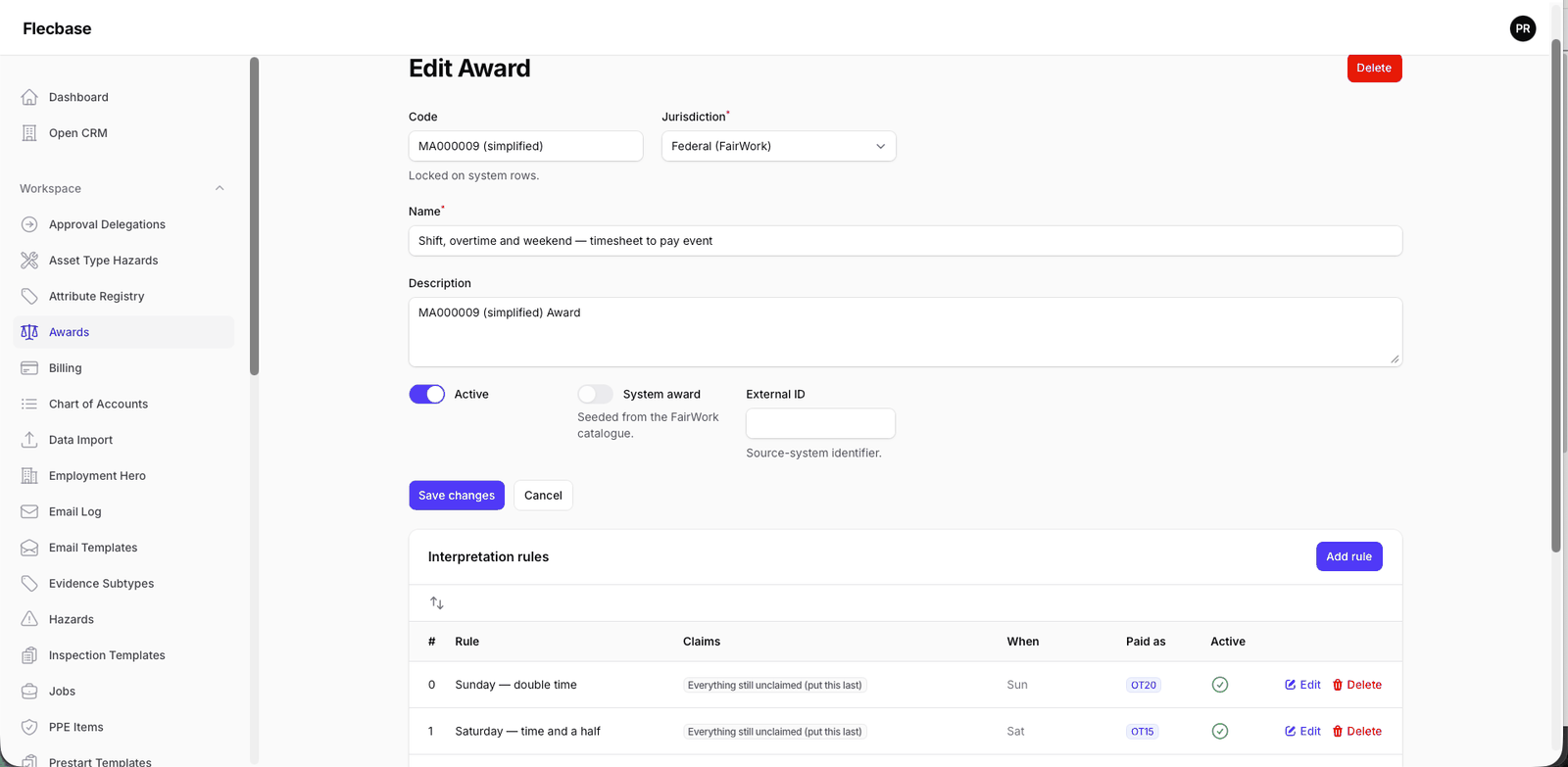
Rules are read in order, so day-conditioned rules come first — otherwise a catch-all claims Saturday as ordinary before the Saturday rule sees it. The engine has no concept of "a Saturday rate": it has a measure and a day condition, which is enough.
Every week
7. Send the employee
Placement → Send to Employment Hero. On the placement, not the person: a person alone does not say which payroll, because the business comes from the placement's client.
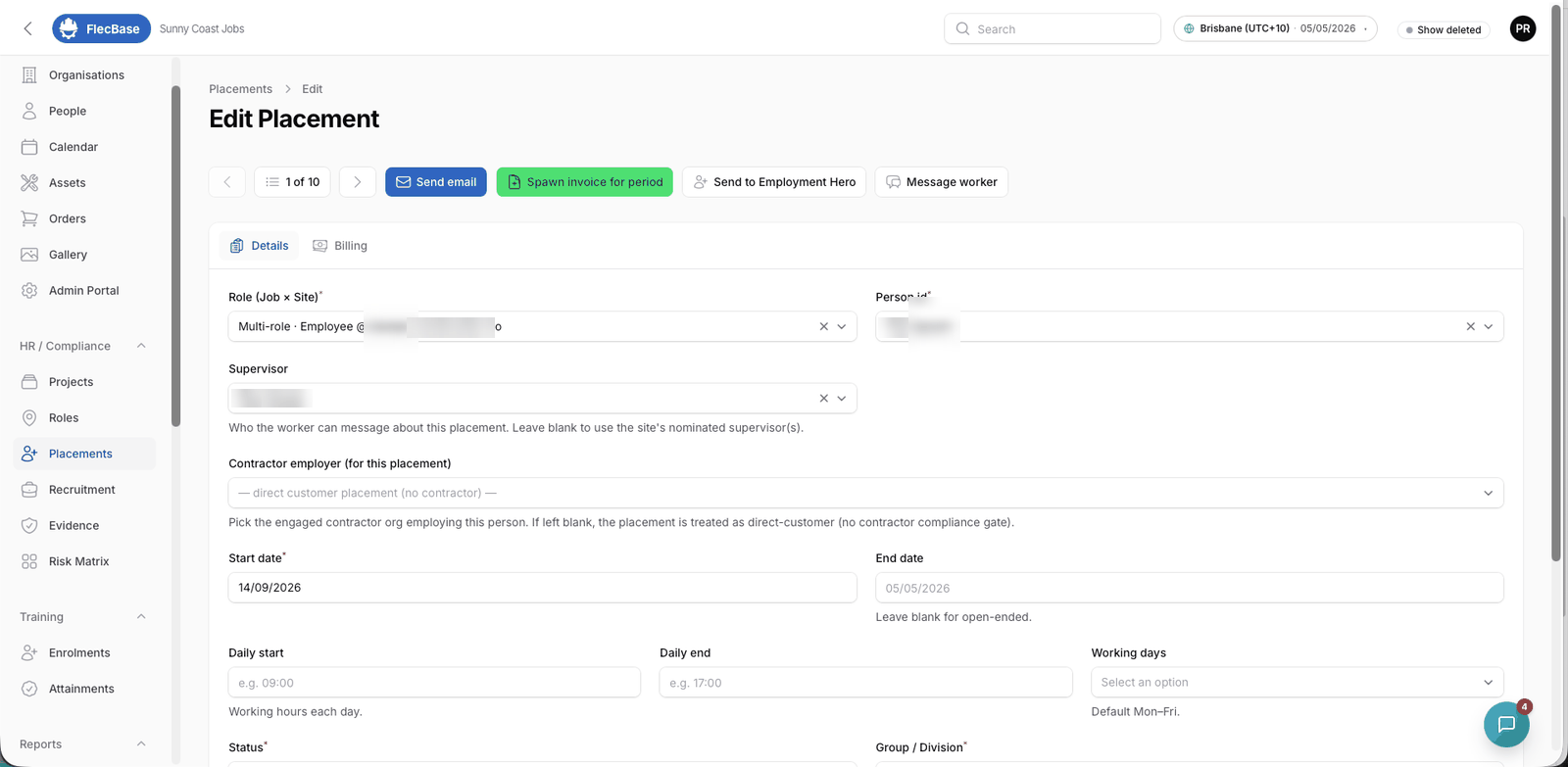
The confirmation says which business, how that was worked out, whether this is a create or an update, and whether the payroll is live — before it writes.
Created is not the same as payable. Employment Hero returns status Incomplete when something it needs is missing, and an Incomplete employee is left out of pay runs entirely — approved timesheets and all. FlecBase reports the status and names the missing fields, because their own message ("Basic Details are incomplete") does not say which. Usually it is bank account details.
8. The worker files the week
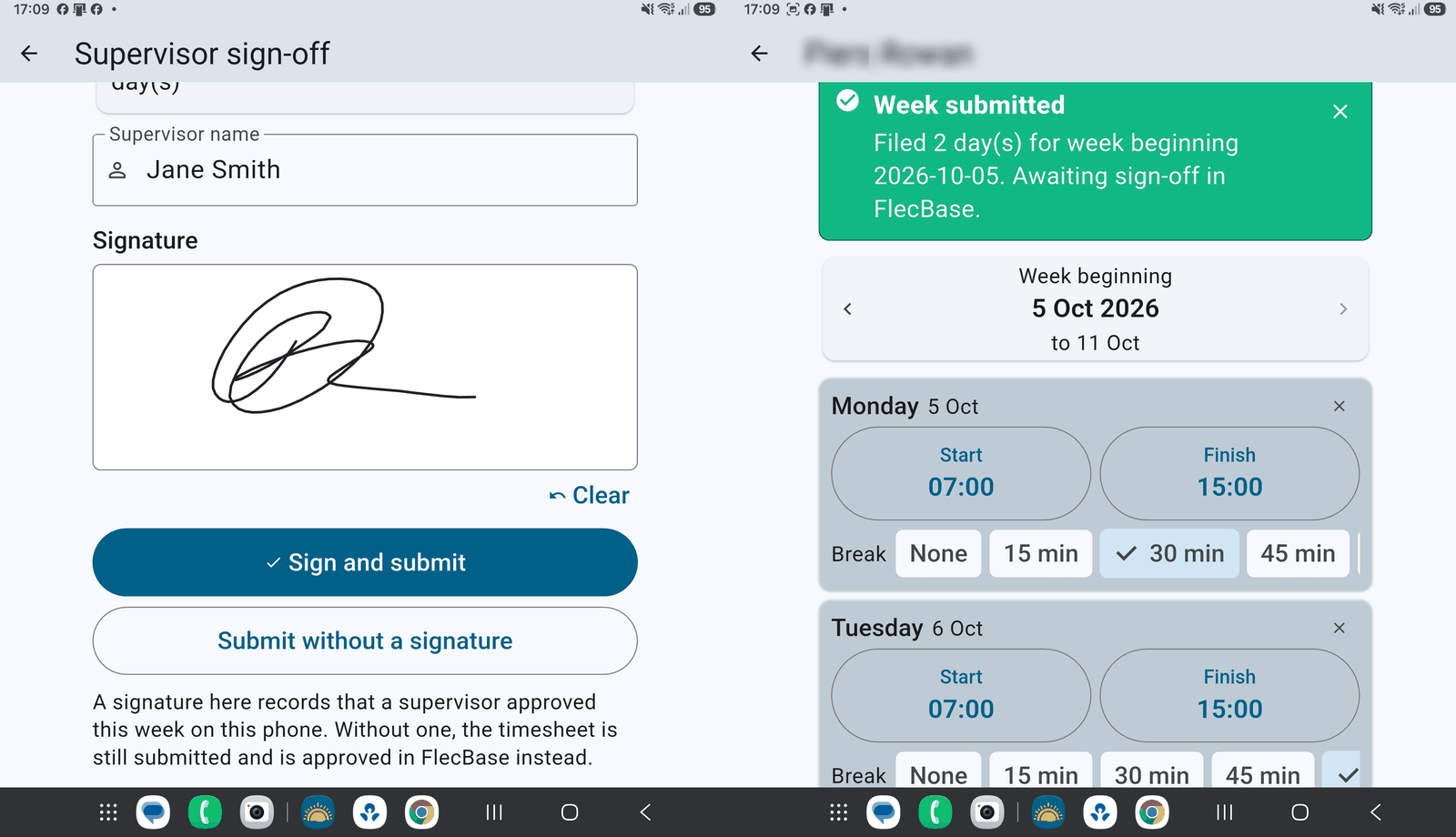
Hours, breaks and a signature on the phone, or entered in the CRM. The week arrives as Submitted and cannot go to payroll yet.
9. Approval
Timesheets. Nothing reaches payroll until somebody accepts the hours. Approve and Send back both require a note, and both are recorded against the placement, the client and the worker.
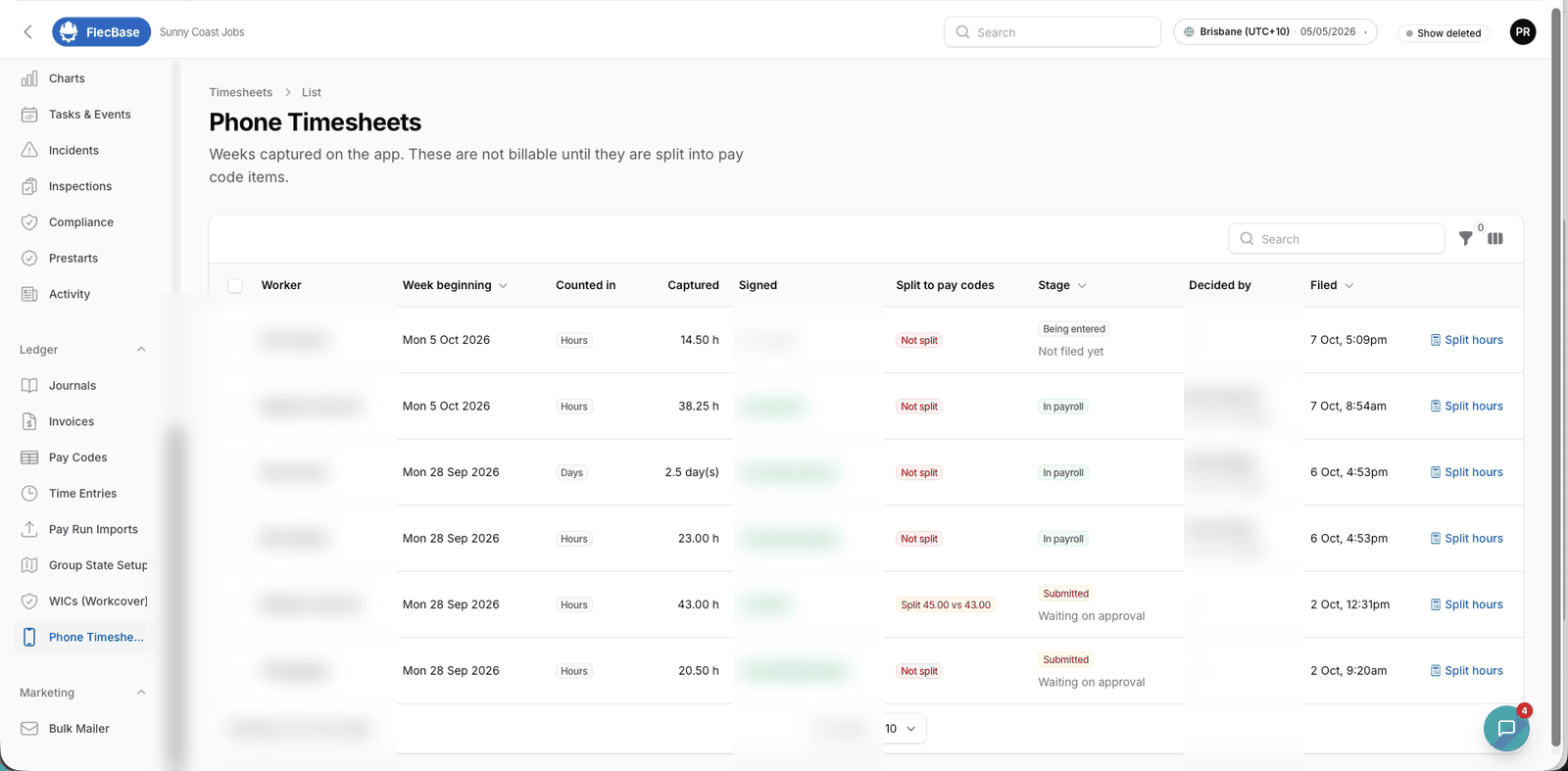
Who approves is a fallback chain, most specific first:
- The placement's own supervisor.
- The site's nominated supervisors — any one of them.
- The internal group on the placement, as the agency backstop.
The level is recorded with the decision, because "approved by Jane" and "approved by Jane, who is the agency consultant because this client nominated nobody" are different facts, and a dispute turns on the second.
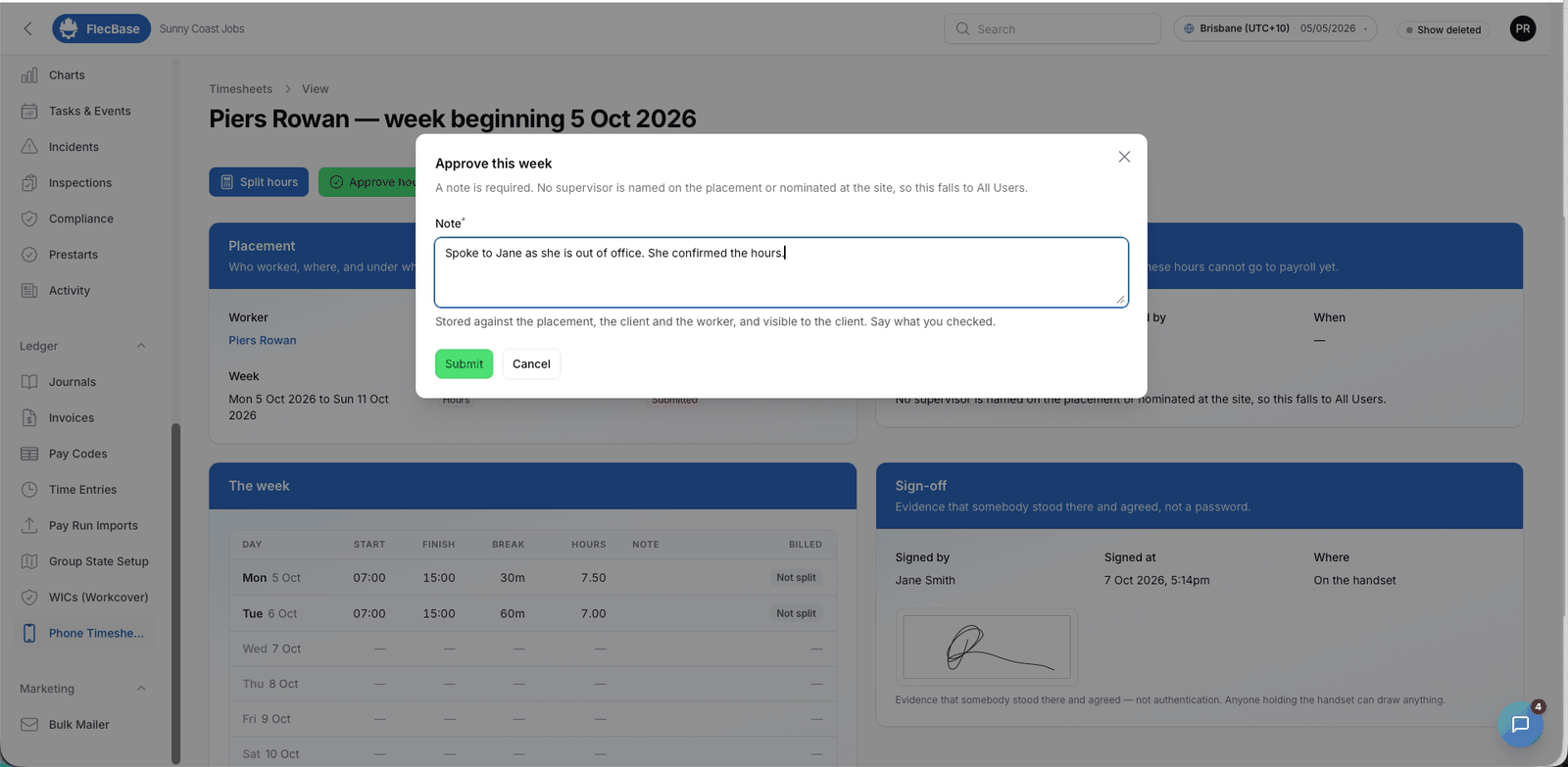
Select-all works for a client with a dozen workers: one note covers the batch. Weeks that could not be approved are named, not counted.
10. Push the hours
Timesheet → Push hours to EH. Only appears once the week is approved. The whole week goes in one request, with a pay category per day.
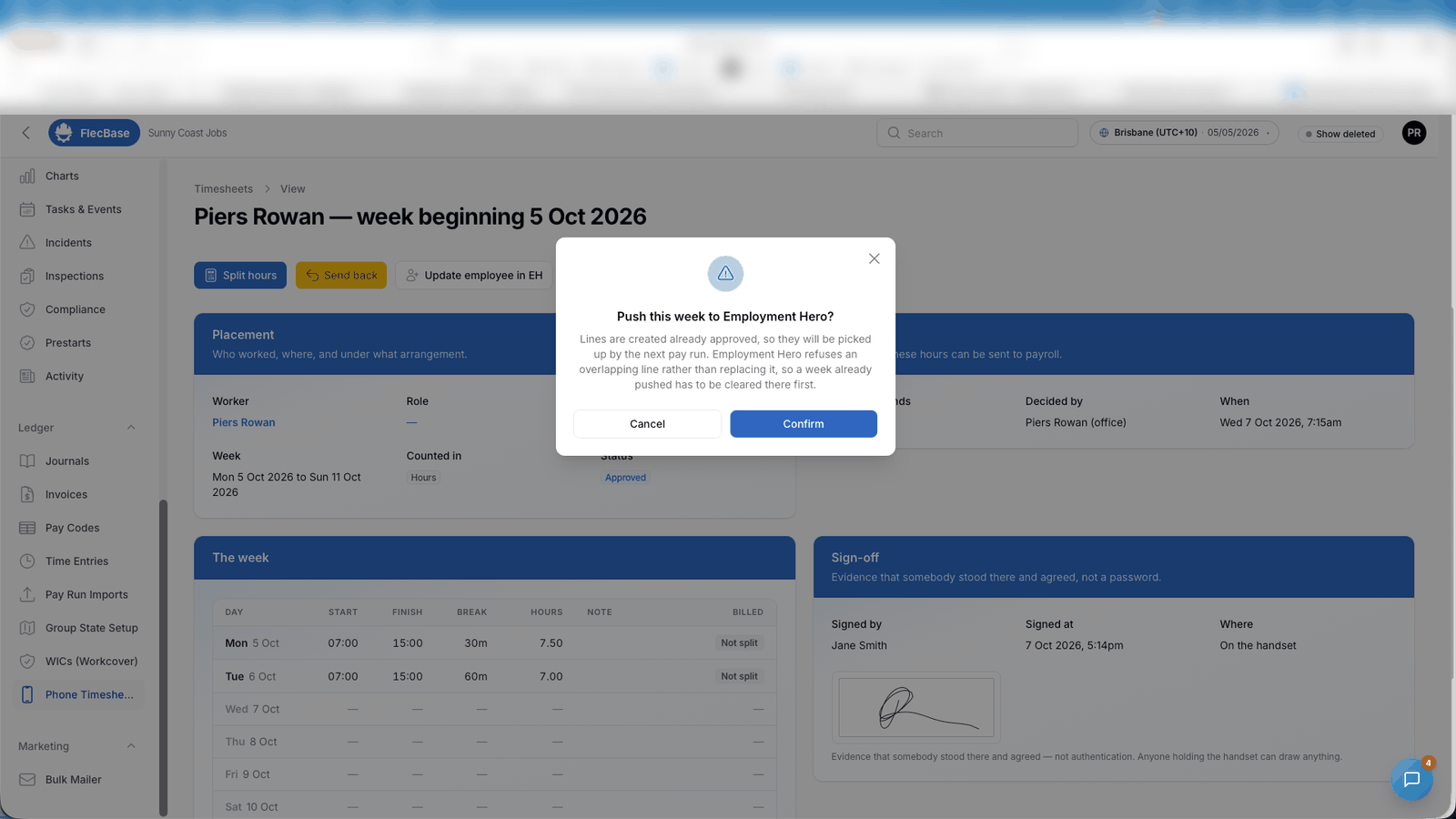
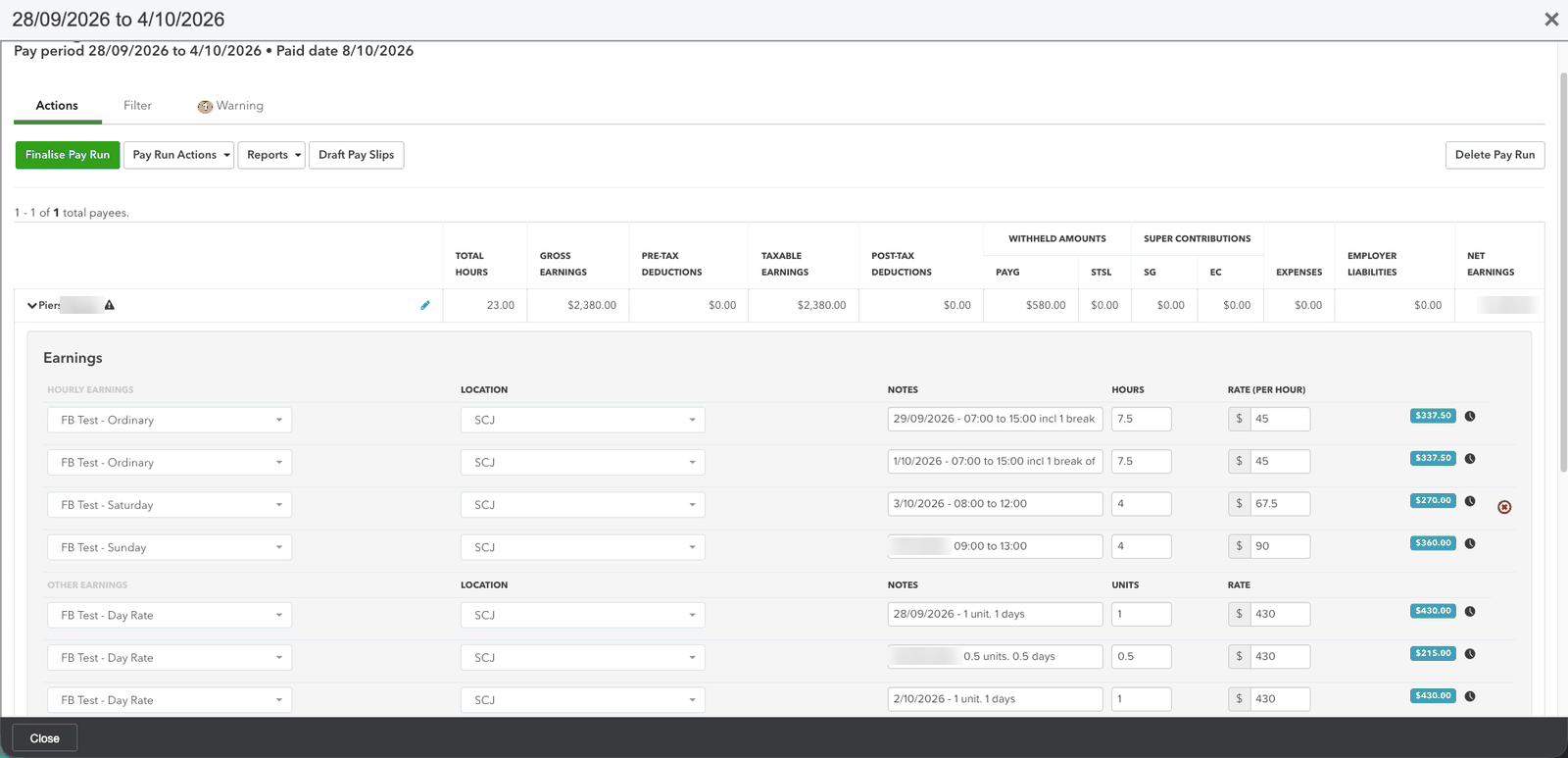
Each day becomes one Employment Hero line. A day worked in two stretches is two lines — that is their model, and FlecBase matches it. Day-rate and per-kilometre work goes as units rather than a clock window.
Their timesheets do not update in place. Re-pushing a corrected week is refused as an overlap rather than replacing it, so use Clear lines in EH first. FlecBase records which Employment Hero line each day became, so it knows what to clear.
11. The pay run
In Employment Hero. Two things decide whether the hours appear, and both fail silently:
- The pay schedule. A pay run covers one schedule, and a business can have several. Hours for somebody on another schedule are accepted, approved, and absent from the run you are looking at.
- The period. Lines outside it stay Approved and wait for the next run. The period end is whatever was entered when the run was created, and Employment Hero then starts the next one the day after — so a single mid-week period makes every later one mid-week too. Set it to the Sunday that ends the FlecBase week.
When something looks wrong
| Symptom | Usually |
|---|---|
| Pay run "adds" the timesheets and adds none | The employee is Incomplete, or the lines are outside the period, or they are on another pay schedule |
| Some days came across, not all | The pay period starts or ends mid-week and cuts the FlecBase week in half |
| Saturday paid at the ordinary rate | No award on the role, so no category was sent and the default applied |
| A rate shows 0.00 | The category was added to the template after the employee was linked to it; re-push the rates |
| Paid 25% over | An effective rate pushed as a base rate against a loaded category |
| Push hours button missing | The week is not approved, or every line is already sent |
The pattern worth internalising: almost nothing in this chain fails loudly. Hours land in the wrong company, at the wrong rate, or in no pay run at all, and every one of those looks like success. The checks FlecBase does — reading the week back, comparing their arithmetic to ours, naming the days it could not classify — exist because the alternative is a plausible wrong number.